Corpus Analysis
The Corpus Analysis view summarizes reading measures by text, participant or group. It uses the selected dataset and the trials your filters keep.
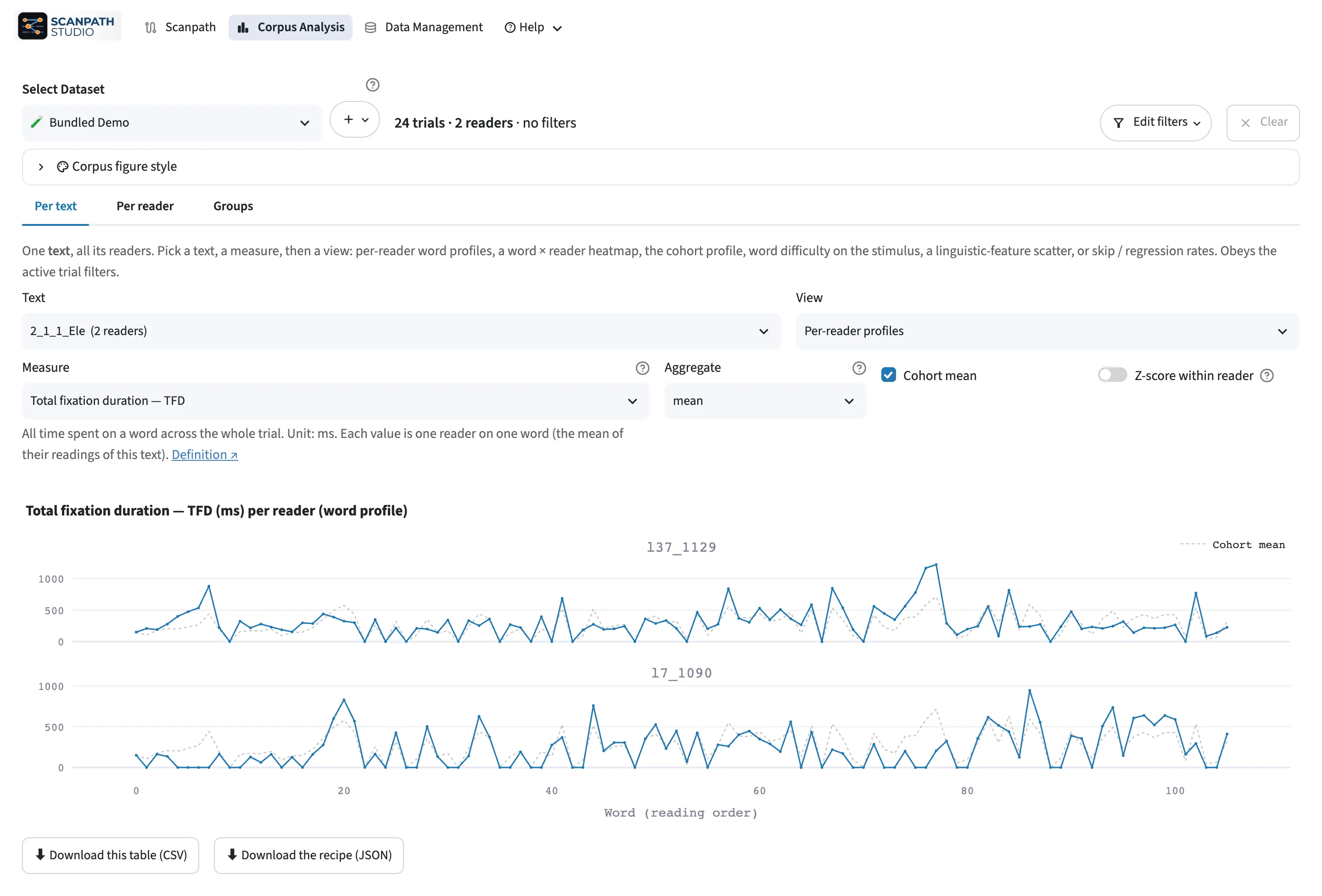
Choose a view
Open a tab, then pick a figure in its View menu.
| Tab | Use it to |
|---|---|
| Per text | Compare word-by-word reading across participants |
| Per participant | Inspect one participant across trials |
| Groups | Describe a group of trials, or compare two, such as two conditions |
Choose the Measure, how to Aggregate it and, where a view draws a band, its Spread. For word profiles, set Min participants per word.
Supply reading measures
Word-level views use the reading measures in your data, such as first fixation duration or total fixation duration. Map those columns when you import. Views of single fixations, such as Fixation duration over time, use the Fixations table.
Compare groups
Under Define groups by, choose Split a field to pick a group by the values of one field, or Independent filter sets to build it from filters. Turn on Compare a second group to define a group B and see the two groups side by side, their means and their difference. These views are descriptive and run no significance tests.
Save results
Under each result, ⬇ Download this table (CSV) saves the table and ⬇ Download the recipe (JSON) saves how it was made: the dataset, the trial filters, the analysis choices and the counts. The recipe holds no data rows and no figure settings. To inspect single trials, return to the Scanpath view.
Plot a summary in code
Start from a tidy summary table, such as a Cohort profile table downloaded
from Corpus Analysis. A word profile needs word_id and value columns, with
optional lo and hi for a band. The downloaded table names the word ID column
as your data does, so rename it to word_id if needed.
For a trend over trial order, see Across the experiment.